

Why Isn't My Website Showing Up on Google? (And How I’d Fix It)

One of the most common questions I get from new clients is: "Why isn't my website showing up on Google?"
It's frustrating.
You've spent time (and probably a decent amount of money) building your website. You launch it, type your business name or service into Google, and...crickets.
Your first thought is usually that something must be broken. Don’t stress!! The good news is that most of the time, it isn't.
In fact, I find that the majority of websites I review are perfectly capable of ranking; they just haven't checked all of the boxes Google looks for before it decides to show a page in search results.
Let’s understand why Google isn't showing your site in the first place.
Key Takeaways
Most websites don't appear on Google immediately after they're published.
Google needs to find, understand, and trust your website before it can rank it.
Technical SEO is important, but content quality and authority matter just as much.
Google Search Console should be your first stop when troubleshooting.
Good SEO takes time, but the results are worth the wait.
Before We Start: There Are Three Things Google Needs
Whenever someone asks why their website isn't showing up on Google, I explain that every website has to accomplish three things before it has a chance of ranking.
Think of Google like a librarian.
When someone asks a question, Google's job is to recommend the best resource it can find.
Before it recommends your website, it needs to answer three questions.
1. Can I Find It?
Google has to discover your website before it can do anything else.
If it hasn't crawled your pages yet, or something is preventing it from accessing them, your website won't appear in search results.
2. Do I Understand It?
Once Google finds your website, it has to understand what each page is about.
That means your content needs to clearly explain what you do, who you help, and the questions you answer.
If Google can't confidently determine a page's purpose, it has a hard time deciding when to show it.
3. Can I Trust It?
This is the part many people overlook, or think they inherently have. Google isn't just looking for pages that exist. It's looking for pages it trusts.
That trust comes from things like helpful content, a good user experience, quality backlinks, internal linking, reviews, and consistent signals that show you're a credible business.
If another website has earned more trust on the same topic, it's probably going to rank higher.
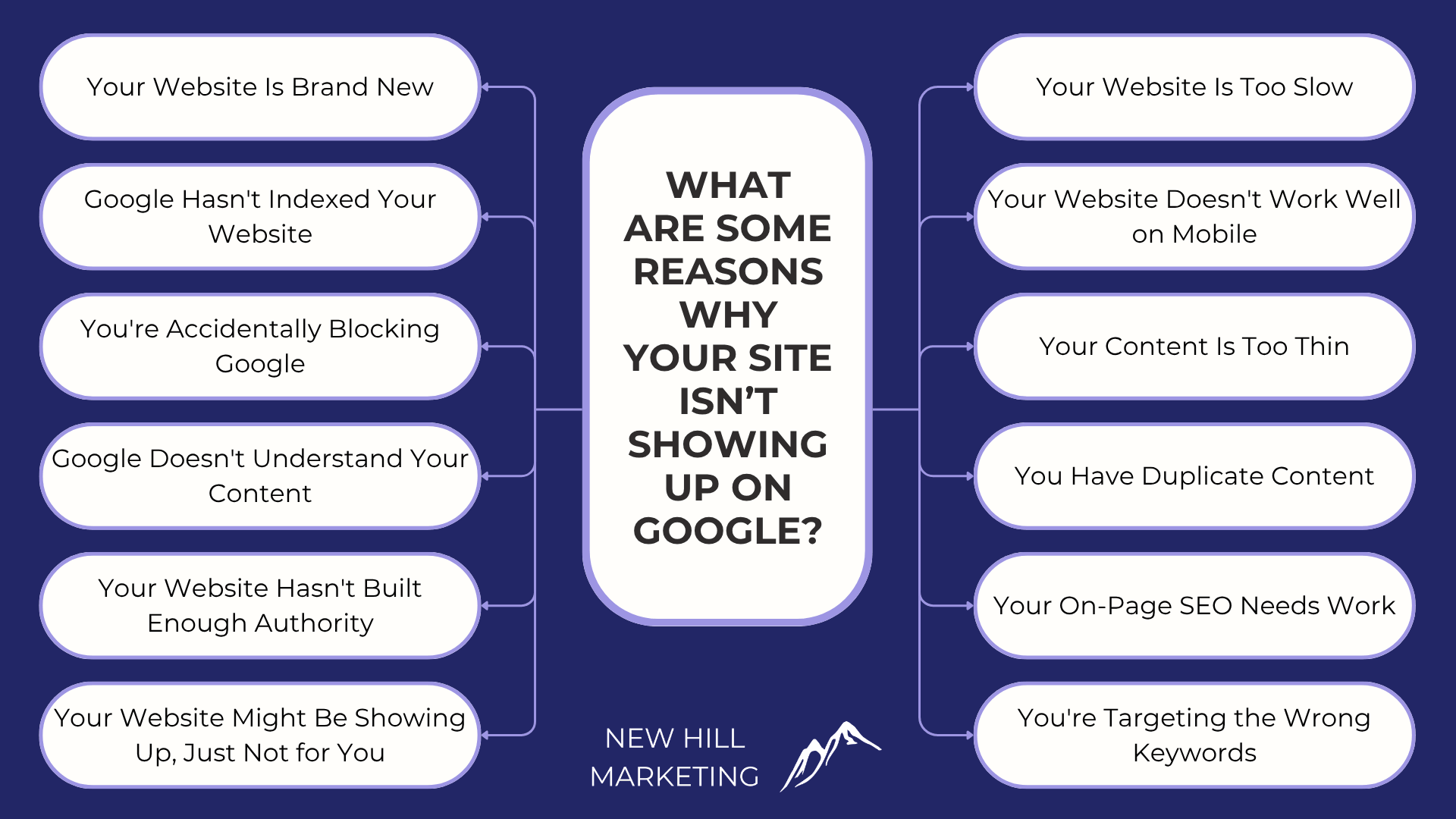
Why Isn’t My Website Showing Up on Google?
Every reason your website isn't showing up on Google falls into one of these three categories. Let's look at the most common ones.
Reason #1: Your Website Is Brand New
If your website only launched a few days or weeks ago, take a deep breath.
This is completely normal.
Google doesn't instantly know every website exists the moment it's published. It first has to discover your pages, crawl them, and decide whether to add them to its search index. This can take as long as 30 days!
Even after that happens, Google still needs time to understand your website and determine where it belongs in search results.
I've had clients reach out a week after launching their website convinced something was wrong, when in reality, Google simply hadn't had enough time to process it yet.
How to Fix It
The good news is there's plenty you can do to help Google discover your website more quickly.
Start by:
Connecting your website to Google Search Console.
Submitting your sitemap.
Making sure your important pages can be crawled.
Adding your Google Business Profile if you have a local business.
Then (and I know this is hard) be patient.
I know that's probably not the answer you were hoping for, but it's an important one.
Good SEO takes time because trust takes time. A brand-new website simply hasn't built enough history yet.
Reason #2: Google Hasn't Indexed Your Website
Just because your website is live doesn't mean it's automatically part of Google's search results.
Before Google can rank a page, it first has to add it to its search index. Think of the index as Google's giant library of web pages. If your website hasn't been added yet, Google simply can't show it to anyone.
The easiest way to check is by searching: site:yourdomain.com
Replace yourdomain.com with your own website.
So, for me it would be: site:newhillmarketing.com
If your pages appear, that's great! Google has indexed at least some of your website.
If nothing appears, your site may not have been indexed yet, or there may be a technical issue preventing Google from adding your pages.
The good news is that Google Search Console can usually tell you exactly what's happening.
How to Fix It
If your website hasn't been indexed yet:
Check Google Search Console for indexing issues.
Submit your sitemap.
Request indexing for important pages.
Resolve any crawl or indexing errors Google reports.
Reason #3: You're Accidentally Blocking Google
Believe it or not, I've seen websites that were built beautifully but accidentally told Google not to visit them using a noindex tag or a blocked robots.txt file.
This usually isn't intentional; it’s usually a leftover setting used when sites are being built or migrated.
If Google can't access your website, it can't rank it.
How to Fix It
Start by reviewing your website's indexing settings in Google Search Console. If this setting is left on, you’ll see the ‘noindex’ tag on the page you review. You can use a tool like SEMrush or Ahrefs to look for any noindex tags on your website and remove them.
If you're not comfortable digging through technical SEO settings, it's worth having an SEO professional review your site to make sure nothing is preventing Google from crawling your pages.
Reason #4: Google Doesn't Understand Your Content
Let's say Google has found your website and indexed your pages.
Great.
The next challenge is helping Google understand what each page is actually about. One of the biggest mistakes I see is trying to make a single page rank for everything.
For example, a homepage that talks about web design, SEO, Google Ads, branding, social media, photography, and email marketing all at once.
Instead, every page should have one clear purpose.
The easier it is for Google to understand a page, the easier it becomes to match that page with the right searches.
How to Fix It
When reviewing your pages, ask yourself:
Does this page focus on one primary topic?
Does it answer the question someone searched for?
Is the content more helpful than what's already ranking?
If the answer is yes, you're heading in the right direction.
Reason #5: Your Website Hasn't Built Enough Authority
This is probably the hardest one to hear because there's no quick fix. Google wants to recommend websites it trusts.
That trust isn't earned simply because your website looks great or because you've published a few pages. It's built over time as Google sees people engaging with your content and other reputable websites referencing your business.
I like to compare SEO to building a professional reputation.
You don't earn trust after one good day. You earn it by consistently showing up and doing good work.
The same is true for your website.
How to Fix It
Continue investing in your website by:
Publishing helpful, original content.
Earning quality backlinks.
Collecting customer reviews.
Building strong internal links.
Providing a fast, user-friendly experience.
None of these things happen overnight, but together they help build the authority Google is looking for.
We know that SEO is a long process that you have to constantly work at, which is why we offer comprehensive SEO services so you don’t have to worry about a thing.
Reason #6: Your Website Might Be Showing Up, Just Not for You
This one catches a lot of business owners off guard. Someone tells me their website isn't showing up on Google, but after I check, I can see it's already ranking.
The difference?
Google personalizes search results.
Your location, search history, device, and even the time of day can all influence what you see.
That means the search results on your computer may look completely different from what a potential customer sees.
That's why I never recommend judging your SEO by Googling yourself.
How to Fix It
Instead of relying on random Google searches, use tools that show what's actually happening, such as:
Google Search Console
Google Analytics
Google Business Profile Insights
A keyword rank tracking tool
These platforms provide real performance data and give you a much more accurate picture of how your website is performing than a single search ever could.
Reason #7: Your Website Is Too Slow
We've all done it.
You click on a website, stare at a blank screen for a few seconds, and then hit the back button.
Google knows people don't like slow websites, and as a result, page speed has become one of many factors that can influence your rankings.
A slow website doesn't automatically mean you'll disappear from Google, but if your pages take too long to load, it can hurt both your rankings and your conversions.
How to Fix It
If your website feels slow:
Test it using Google PageSpeed Insights.
Compress large images.
Remove unnecessary scripts and plugins.
Work with your web developer to improve performance if needed.
A faster website creates a better experience for both Google and your visitors.
Reason #8: Your Website Doesn't Work Well on Mobile
More people search on their phones than on desktop computers. If your website is difficult to navigate on a phone, Google notices. In fact, back in 2015, Google even started penalizing websites that have poor mobile optimization.
That doesn't just mean making your website "fit" on a smaller screen. Visitors should be able to easily read your content, tap buttons, fill out forms, and navigate your website without pinching and zooming.
How to Fix It
Review your website on your own phone and ask yourself:
Is everything easy to read?
Are the buttons easy to tap?
Does the layout look clean?
Does the page load quickly?
If the answer is no, your mobile experience probably needs some attention.
Reason #9: Your Content Is Too Thin
Sometimes a page simply doesn't give Google enough information to understand or trust it.
I see this quite a bit on service pages that contain only a few short paragraphs before asking visitors to contact the business.
The problem is that Google wants to understand exactly what your page is about before it recommends it.
That doesn't mean every page needs to be 2,000 words long. It simply needs enough helpful information to answer the visitor's question.
How to Fix It
Look at your most important pages and ask yourself:
Does this fully answer the reader's question?
Have I explained my service clearly?
Would someone leave this page feeling informed?
If not, it's probably worth expanding the content. My tip to add more SEO-friendly content that’s also great for AI crawlers is to include an FAQ section at the bottom. This helps
Reason #10: You Have Duplicate Content
Google wants to show unique results.
If multiple pages on your own website say almost the exact same thing, Google has a harder time deciding which one should rank.
The same goes for copying content from another website.
Duplicate content doesn't usually lead to a penalty, but it can make it much harder for your pages to perform well.
How to Fix It
Keep every page focused on its own purpose.
If you discover multiple pages covering the same topic, consider combining them into one stronger page or rewriting them so each serves a unique purpose.
Reason #11: Your On-Page SEO Needs Work
Even great content can struggle if Google can't easily understand what it's about.
That's where on-page SEO comes in.
Simple things like your page title, headings, URL, meta description, image alt text, and internal links all help Google better understand your content. Think of on-page SEO as adding labels to moving boxes. Without those labels, Google has to guess what's inside.
How to Fix It
For each page:
Choose one primary keyword.
Use it naturally in your title and headings.
Write a descriptive meta title and description.
Add internal links to related pages.
Optimize your images with descriptive alt text.
You don't need to force keywords everywhere. Focus on making the page clear for both Google and your readers.
Reason #12: You're Targeting the Wrong Keywords
This is one I see all the time. A business wants to rank for a broad, highly competitive keyword because it has the highest search volume.
The problem?
Everyone else wants to rank for that keyword too.
Instead of competing with national brands, you're often better off targeting more specific searches that match exactly what your customers are looking for.
For example, instead of trying to rank for "roofing," a local roofing company might target "roof repair in Rochester Hills" or "emergency roof repair near me."
The search volume may be lower, but the people searching are much more likely to become customers.
How to Fix It
Spend time researching the keywords your ideal customers are actually searching for.
Look for keywords that:
Match your services.
Match the searcher's intent.
Have realistic competition.
Fit your location if you're a local business.
Sometimes ranking for ten smaller keywords brings in far more business than chasing one impossible keyword.

Let’s Get Your Site Ranking on Google
If your website isn't showing up on Google, don't assume something is broken.
In my experience, there's usually a logical explanation. Maybe your site is brand new. Maybe Google hasn't indexed your pages yet. Maybe your content needs to be clearer, or maybe your website simply hasn't built enough trust to compete with more established businesses.
The important thing is to identify which problem you're dealing with before you start making changes.
SEO isn't about checking one magic box. It's about helping Google find your website, understand what it's about, and trust that it's a valuable result for its users.
The good news is that every one of those things can be improved.
Some fixes only take a few minutes. Others require consistency and patience.
If you’re looking for a partner to handle all your SEO needs so you can sit back and focus on your business, reach out today! We offer a free 15-minute consultation to help you determine what your business needs.
Frequently Asked Questions
Why isn't my Squarespace website showing up on Google?
Squarespace isn't the problem. Squarespace websites are fully capable of ranking on Google. If your site isn't appearing in search results, it's usually because it hasn't been indexed yet, there's a technical issue preventing Google from crawling it, or your website needs stronger content and authority.
How long does it take for a new website to show up on Google?
There's no exact timeline. Some websites are indexed within a few days, while others take several weeks. Ranking for competitive keywords often takes much longer because Google needs time to understand your website and build confidence in its content.
How do I know if my website has been indexed?
The easiest way is to search: site:yourdomain.com
If your pages appear, they've been indexed. You can also use Google Search Console to see exactly which pages Google has indexed and whether any issues are preventing others from appearing.
My website is indexed. Why am I still not ranking?
Indexing and ranking aren't the same thing. Indexing means Google knows your page exists. Ranking means Google believes your page is one of the best answers for a particular search. If your site is indexed but not ranking, it may need stronger content, better optimization, more authority, or simply more time.
Can I speed up the process?
You can't force Google to rank your website, but you can help move things along by submitting your sitemap, publishing helpful content, improving your internal linking, earning quality backlinks, and making sure your website is technically sound. Consistent improvements tend to produce much better long-term results than chasing quick fixes.
Can New Hill Marketing help me figure out why my website isn't showing up?
Absolutely. If you're not sure what's preventing your website from ranking, we'd be happy to take a look. We can review your technical SEO, indexing status, content, and overall strategy to identify what's holding your site back.
Sometimes it's a quick fix, and sometimes it's part of a bigger SEO strategy; but either way, you'll get honest recommendations based on what your website actually needs.
